
Core workflow
Records workspace
Last updated 2026-09-05T21:10:52+00:00
Racinage is more than a tree. The records workspace gives the family a place for photos, events, projects, financial records, documents, and historical notes.
Record transfers and person backups
Family managers can export supported records as CSV and import them into the currently selected family account. CSV record transfer is available from Lite Free upward, so Family, Max, and Lifetime inherit it too. The transfer keeps trees, albums, events with attendance records, projects, finance wallets, documents, contributions, and history entries associated with the target family. Matching records already in that family are skipped so imports do not create duplicates.
The hosted Manage Persons directory adds a dedicated transfer flow across accessible family accounts. Person cards show the available year range, current age or age at death, and important at-a-glance details. Selecting a card opens the tree's read-only person details. Export can produce a customizable Racinage CSV or JSON file with selected trees, unassigned people, and detail groups. Relationships are excluded by default. Backup produces a complete versioned ZIP manifest with selected tree metadata, roots, relationships, and available profile-photo files. CSV, JSON, and ZIP files produced here can be reviewed and imported back into Racinage.
During import, map each source family to an accessible writable family and each source tree to a writable existing tree, a newly created tree when permitted, or Skip. Ordinary flat CSV and JSON files include a guided column mapping. Duplicate previews default to Skip, with choices to link the matching person or create a separate person. Relationship restoration remains off until it is explicitly enabled after reviewing those mappings.
Gallery
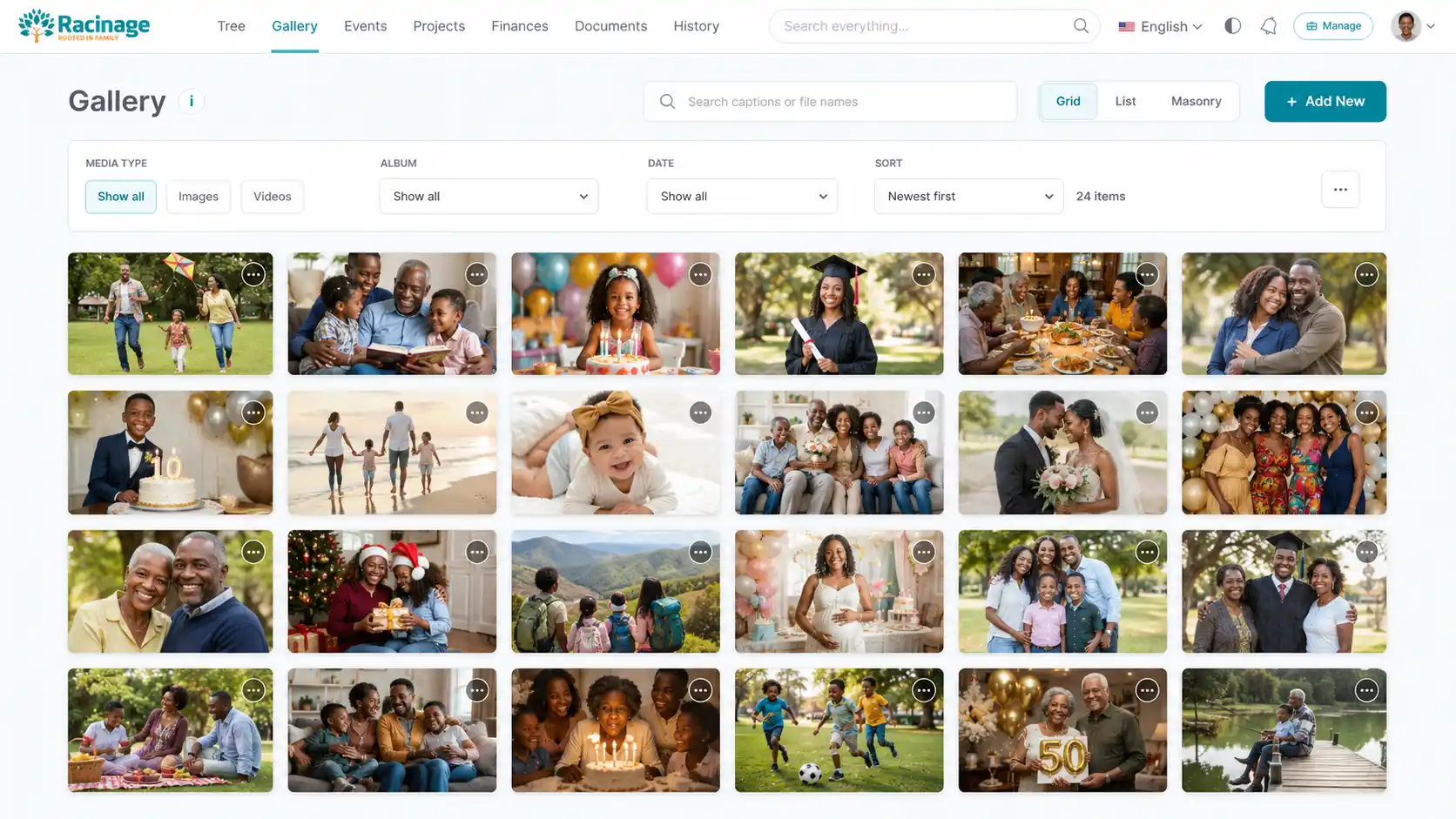
Use Gallery for family albums and media records. Uploads can include an optional event date, and albums can be ordered by their newest or oldest event date. New albums keep media metadata hidden in Grid and Masonry views, while List view always shows the complete metadata. Infinite scrolling is the default navigation mode for families that have not chosen another option. It keeps loading the selected album and active filters as the browser reaches the end of the page, until every matching item is shown. When Show all albums is selected, media is grouped under a sticky album header, with Public clearly marked on shared albums. Turn on Select in one album to edit shared details, move, or delete up to 100 media files together. The selection stays available after more files load, navigation, or a reload in the same browser, and only one album can have an active selection. The same selected-item actions are available in the album menu, and each media menu includes Move for transferring one file. Changes appear immediately and can be undone for 10 seconds. Gallery, Events, Projects, Finances, Documents, and History remember each user's chosen sort order across sessions and devices, including the Randomly option. Keep album names simple and group photos by event, branch, or year. When an album documents an event or project, edit the album, event, or project and link them together so users can jump between the related records.
Events
Search the Person in charge field to select a profile by name or username, or enter a custom name. Attendance roles use a short list of options; older custom roles remain available when editing existing attendance.
Use Events for reunions, ceremonies, meetings, birthdays, and family milestones. Show all is the default list, and either the cover or event name opens the details. Add and Edit open a dedicated editor with locally autosaved drafts, rich-text descriptions, category-aware planning items, assignees, deadlines, and item costs. Structured categories also provide attendance cards for names, roles, status, participation, arrival and departure times, tasks, suggestions, and follow-up notes. Typing an attendee name suggests matching registered collaborators from every family account the signed-in user can access and matching people from family trees the user may view. Selecting a result links that profile to the attendance record, while a new custom name remains valid. Switching to Other hides attendance but keeps the unfinished cards in the local draft until save. Saving while attendance is hidden removes those attendance records. Contributions compare independently with the event goal and the total cost of its items. Linked albums remain available after the first save.
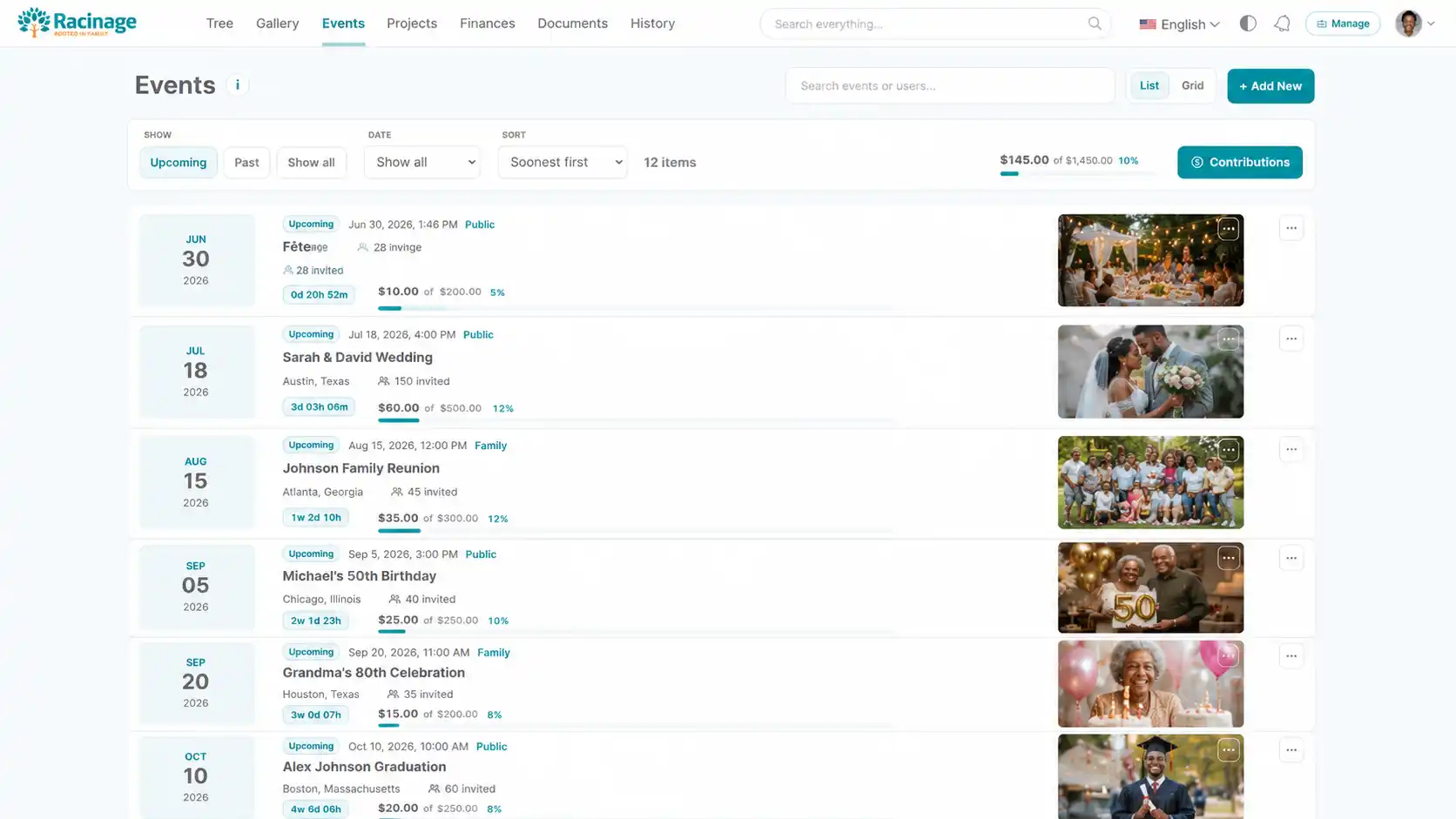
Each event can also have an optional private gallery alongside its cover: add up to 20 JPG, PNG, or WebP images, up to 8 MB each. Images are converted to WebP, and additions or removals are applied when you save the event. Unsaved image selections must be selected again after reopening a browser draft. Public event links show these images only when Show event gallery is enabled.
Event CSV and JSON exports include authenticated links to gallery images, not the image files. Importing those exports does not restore the gallery. Download any gallery images you need to keep separately before removing the event or its account.
Choose a Contribution wallet in the event editor to display its contributions in an active custom wallet. The event and wallet use the same contribution records, so changes and archiving from either view stay consistent without double counting. When adding a deposit from that wallet, choose its linked event. Disconnect linked events before changing the wallet currency or archiving the wallet. Planned item costs remain estimates and do not automatically create expenses.
Event and project editors keep essentials visible and put optional sections behind expandable headings. Saved content opens when editing. Save feedback stays beside the action; local drafts remain separate from committed saves. Failed saves preserve the draft.
Event details have Details and Contributions tabs. Project details also include the item checklist. Edit a contribution in place, search tree people by name with photo and gender, enter a custom name, or choose Anonymous. Stale edits are rejected to preserve changes already saved by someone else.
Wallet details provide a direct Edit action. Create a wallet with a name and currency; color and description are optional. Transactions can reference a family-tree person. A wallet with transaction history retains its currency.
Albums is the default gallery view when no preference has been saved. Each album shows up to four previews. Open an album to browse its media, then use the back arrow to return. Grid, List and Masonry retain collapsible album groups.
Projects and finances
Projects track family initiatives. Add and Edit open a dedicated editor with locally autosaved drafts and a rich-text description, while existing project items, contributions, budgets, and linked albums remain in the detail workflow. Finances track contributions, expenses, and related records. Project albums can be linked from either side; one linked record opens directly, while multiple links show a small chooser first.
Documents
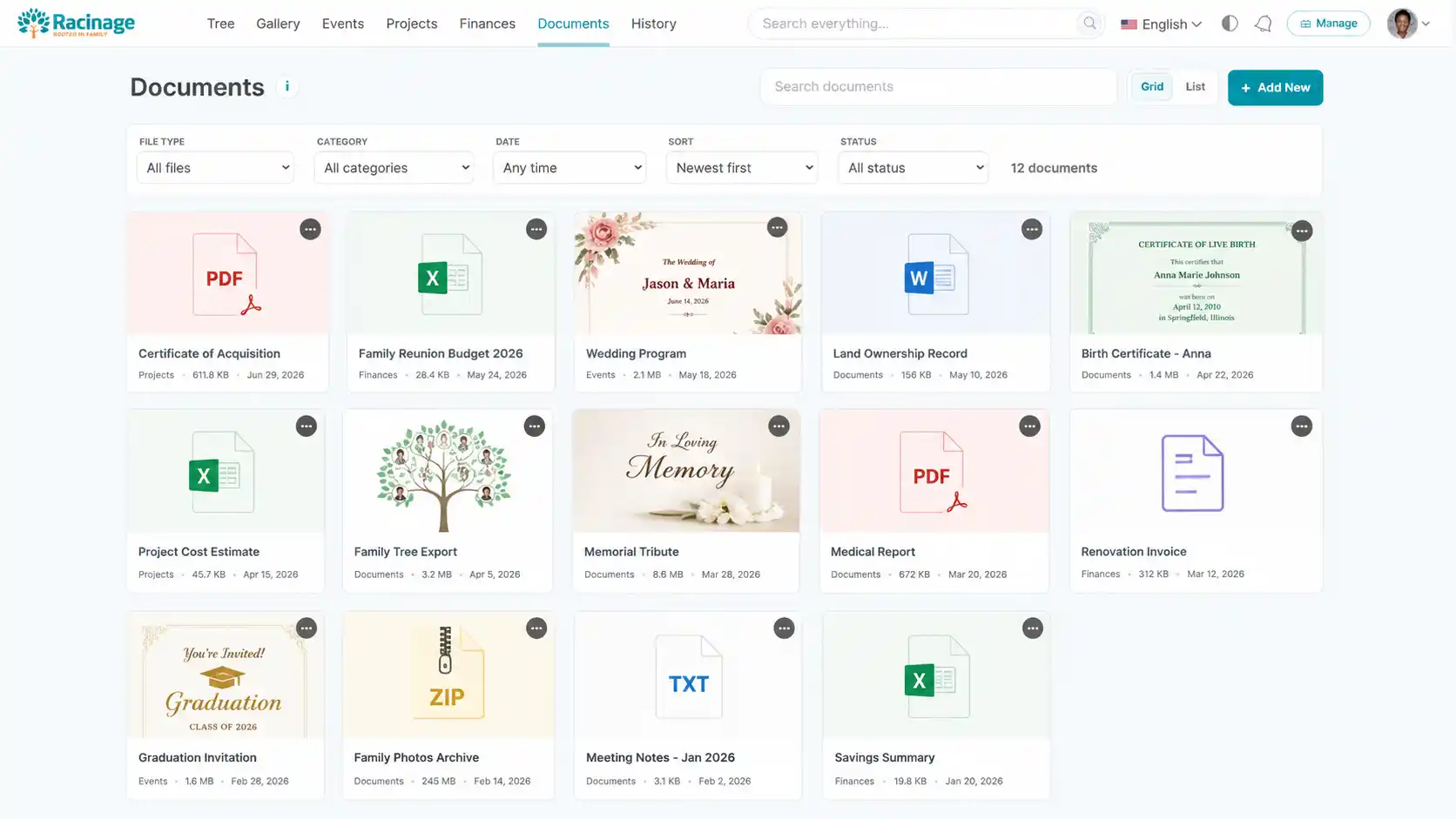
Documents are for durable files and official records. Use clear names and descriptions so users can search and understand a file without opening every attachment.
CSV and JSON document imports reference files already available to the destination family. They do not upload file contents or grant access to another family's files; unavailable files are skipped. File type and size come from the stored document.
Album transfers also reuse media already available to the destination family. Upload missing media first. Event and project contributions retain their separate permissions during import and export. Spreadsheet exports keep user-entered formulas as plain text.
History
Your family history combines manual memories with events and projects you can view. Events use their start date; projects use their target date, or creation date when no target is set. Search, year filters and ordering cover all three sources. Opening an event or project takes you to its original record. Archived or deleted source records are excluded; public history lists only explicitly shared history entries.
History is for timeline entries, family stories, and important moments that should survive beyond chat messages or informal notes. Grid, List, and Timeline support familiar scanning. Ribbon presents the chronology as a horizontal, scroll-snapping sequence, while Story turns each entry into a large image-led chapter. The selected view remains saved for that user.
Analytics and Progress
Dashboard analytics summarize only records the signed-in account may access in the selected family and period. Progress analytics use separately cached, verified activity aggregates and remain available when interface decoration or public leaderboard visibility is disabled.
Global search
Use the global search field in the dashboard header to find people and records quickly. When a person result is selected, the tree highlights that person without shifting the interface.